Add stock Ctrl + U (Oil, NASDAQ, Euro, Bitcoin, foreign stocks)

GoldStudy
Rate this note
This is how to add stocks (oil, NASDAQ, Euro, Bitcoin, foreign stocks).
Then press Ctrl + U
If you click “Show Mark”, it will be displayed so that you can add it to the item.
If you click “Hide Mark”, the mark will be removed from the item.
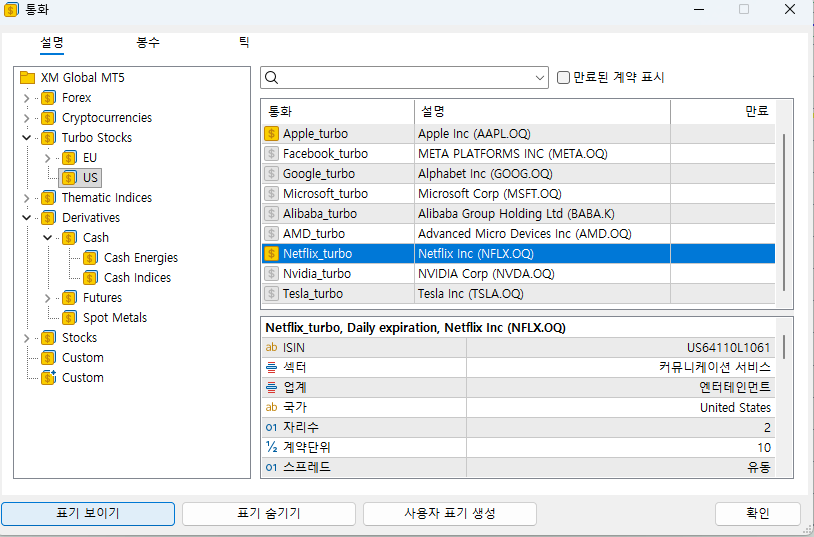
Let's add Netflix as an example.
Find Netflix above and then show it.
next

You can add Netflix as above.
Additionally
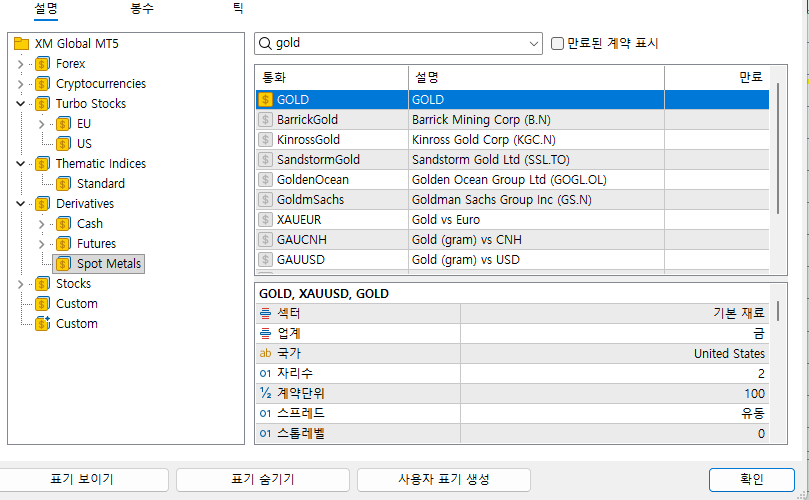
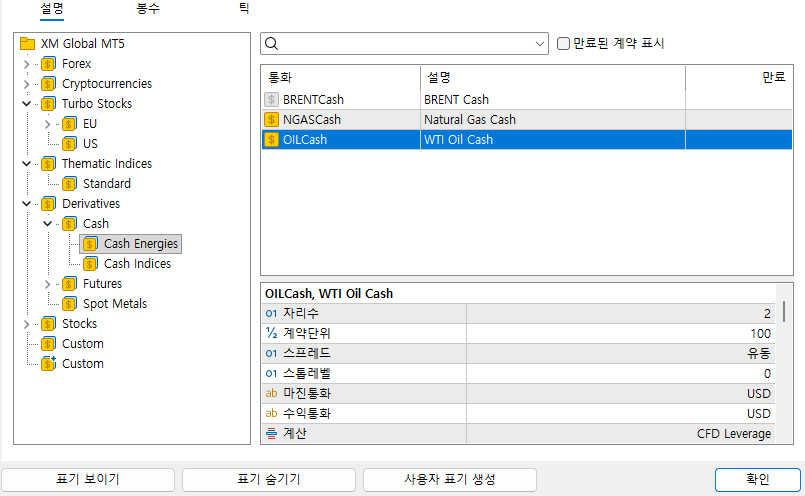
Examples of gold and oil are as follows.
If this was useful, please leave a rating
Share
Link copied
Written by
GoldStudy · developer & trader, 17 years
I start every morning with the main news and ask “why?” before “how much?”. I only list brokers where I opened an account and traded myself first. If a condition changed or something is wrong, tell me and I’ll fix it.
Brokers mentioned in this article
★ GoldStudy partner link Sign up through this link to get GoldStudy support


