MT5 lessons
13 study notes, newest first. Articles are in Korean.
 Let’s start by pointing out the difference between MT4 and MT5 and that the accounts are not compatible with each other.This came to mind when I heard that even players with the same name play differently in each era. We compared MT4 and MT5, which have similar names, to see how they actually differ...
Rating
Let’s start by pointing out the difference between MT4 and MT5 and that the accounts are not compatible with each other.This came to mind when I heard that even players with the same name play differently in each era. We compared MT4 and MT5, which have similar names, to see how they actually differ...
Rating
 Beginner’s guide to using MT5, 5 things you might get stuck in when you first open itThe first screen where an English menu and an unfamiliar window appear simultaneously. Turn on the translator once and open them one by one with the mindset of getting started.
Rating
Beginner’s guide to using MT5, 5 things you might get stuck in when you first open itThe first screen where an English menu and an unfamiliar window appear simultaneously. Turn on the translator once and open them one by one with the mindset of getting started.
Rating
 Summary of major trading item codes (Symbols)Enter the code below into the trading program (MT4/MT5) search box.
Rating
Summary of major trading item codes (Symbols)Enter the code below into the trading program (MT4/MT5) search box.
Rating
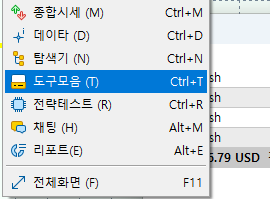 MT5 trading window Ctrl + T (stop loss, liquidation, profit management)The way to view the MT5 trading window is Ctrl + T.
Rating
MT5 trading window Ctrl + T (stop loss, liquidation, profit management)The way to view the MT5 trading window is Ctrl + T.
Rating
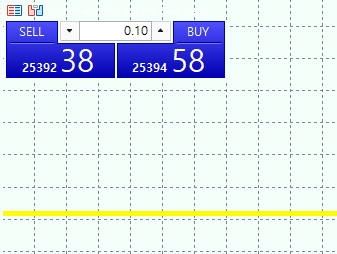 Trading Window (Trading Click or Trading Panel) Art +TPlease distinguish between left and right.
Rating
Trading Window (Trading Click or Trading Panel) Art +TPlease distinguish between left and right.
Rating
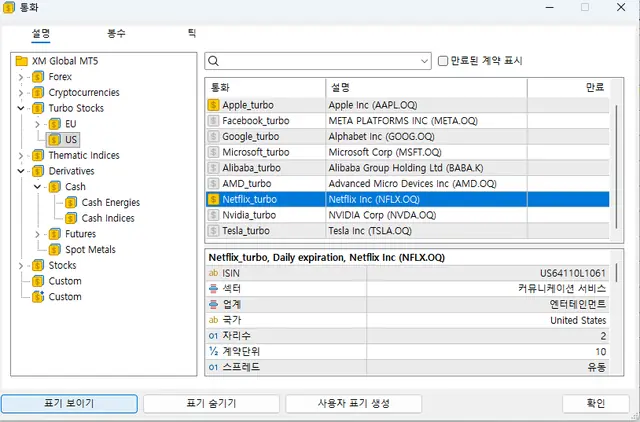 Add stock Ctrl + U (Oil, NASDAQ, Euro, Bitcoin, foreign stocks)This is how to add stocks (oil, NASDAQ, Euro, Bitcoin, foreign stocks).
Rating
Add stock Ctrl + U (Oil, NASDAQ, Euro, Bitcoin, foreign stocks)This is how to add stocks (oil, NASDAQ, Euro, Bitcoin, foreign stocks).
Rating
 Create comprehensive price window Ctrl + MIf you press Ctrl + M, the comprehensive price window will appear.
Rating
Create comprehensive price window Ctrl + MIf you press Ctrl + M, the comprehensive price window will appear.
Rating
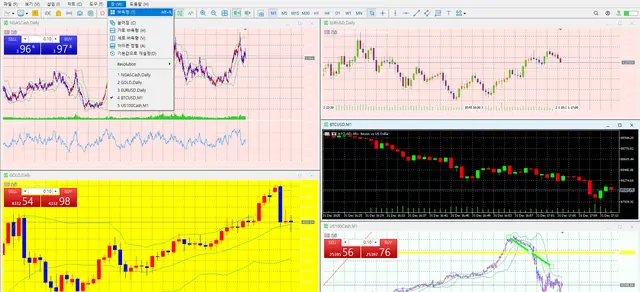 Making MT5 multiple charts look goodView one main chart on the largest screen on this monitor.
Rating
Making MT5 multiple charts look goodView one main chart on the largest screen on this monitor.
Rating
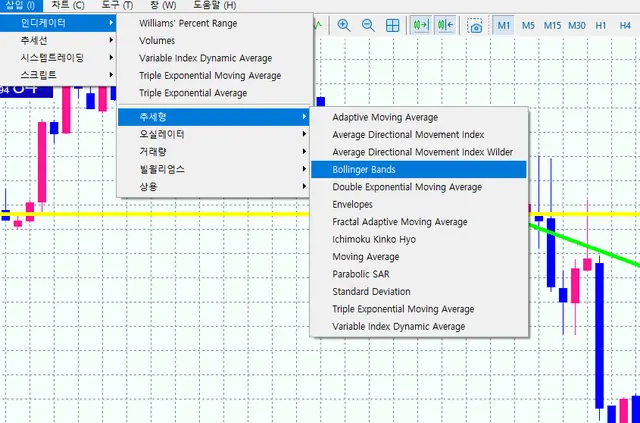 How to insert MT5 Bollinger Bands and various indicatorsFirst, go to Insert > Trend > Bolinger Bands.
Rating
How to insert MT5 Bollinger Bands and various indicatorsFirst, go to Insert > Trend > Bolinger Bands.
Rating
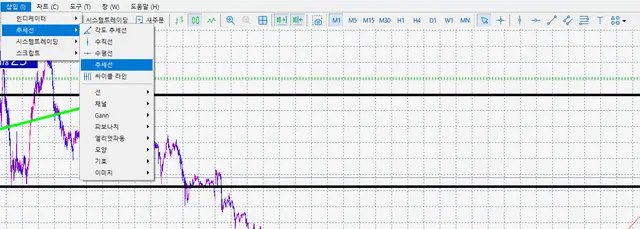 MT5 trend line, horizontal line, cycline, Elliott wave, channel drawingGo to Insert -> Trend Line and use various trend lines.
Rating
MT5 trend line, horizontal line, cycline, Elliott wave, channel drawingGo to Insert -> Trend Line and use various trend lines.
Rating
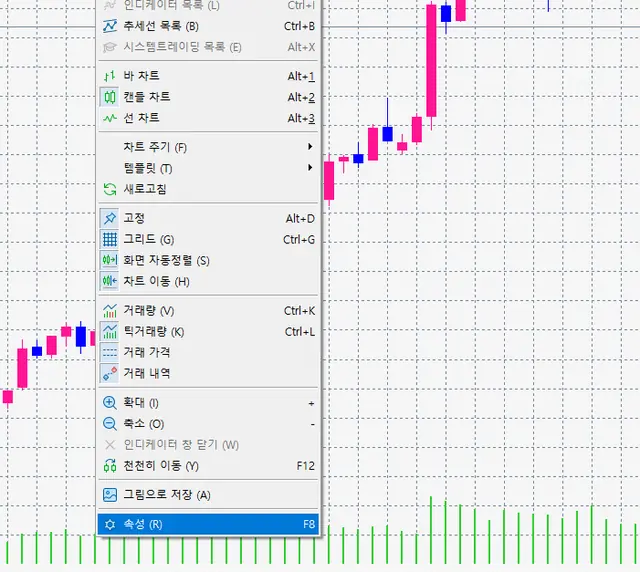 Changing MT5 chart colors (background and bar colors)TIP: Change it so that it does not strain your eyes, and change it according to the key points that suit your trading style.
Rating
Changing MT5 chart colors (background and bar colors)TIP: Change it so that it does not strain your eyes, and change it according to the key points that suit your trading style.
Rating
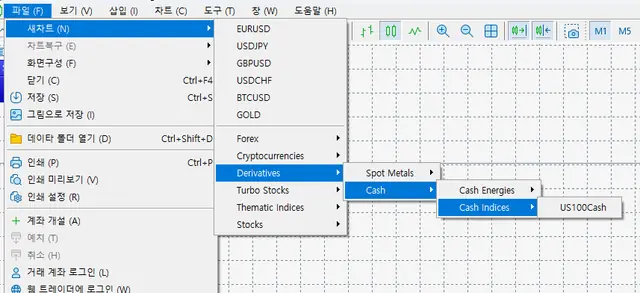 How to add NASDAQ stocks (US Cash100)Go to File -> New Chart -> Derivatives -> Cash -> Cash indices -> US100Cash.
Rating
How to add NASDAQ stocks (US Cash100)Go to File -> New Chart -> Derivatives -> Cash -> Cash indices -> US100Cash.
Rating
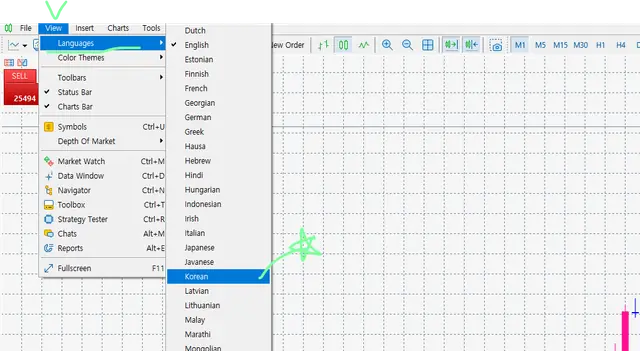 MT5 language settings (change to Korean)Go to the View tab and change it to -> Language -> Korean.
Rating
MT5 language settings (change to Korean)Go to the View tab and change it to -> Language -> Korean.
Rating

Tips for beginners
Worth reading first


