Making MT5 multiple charts look good

Rate this note
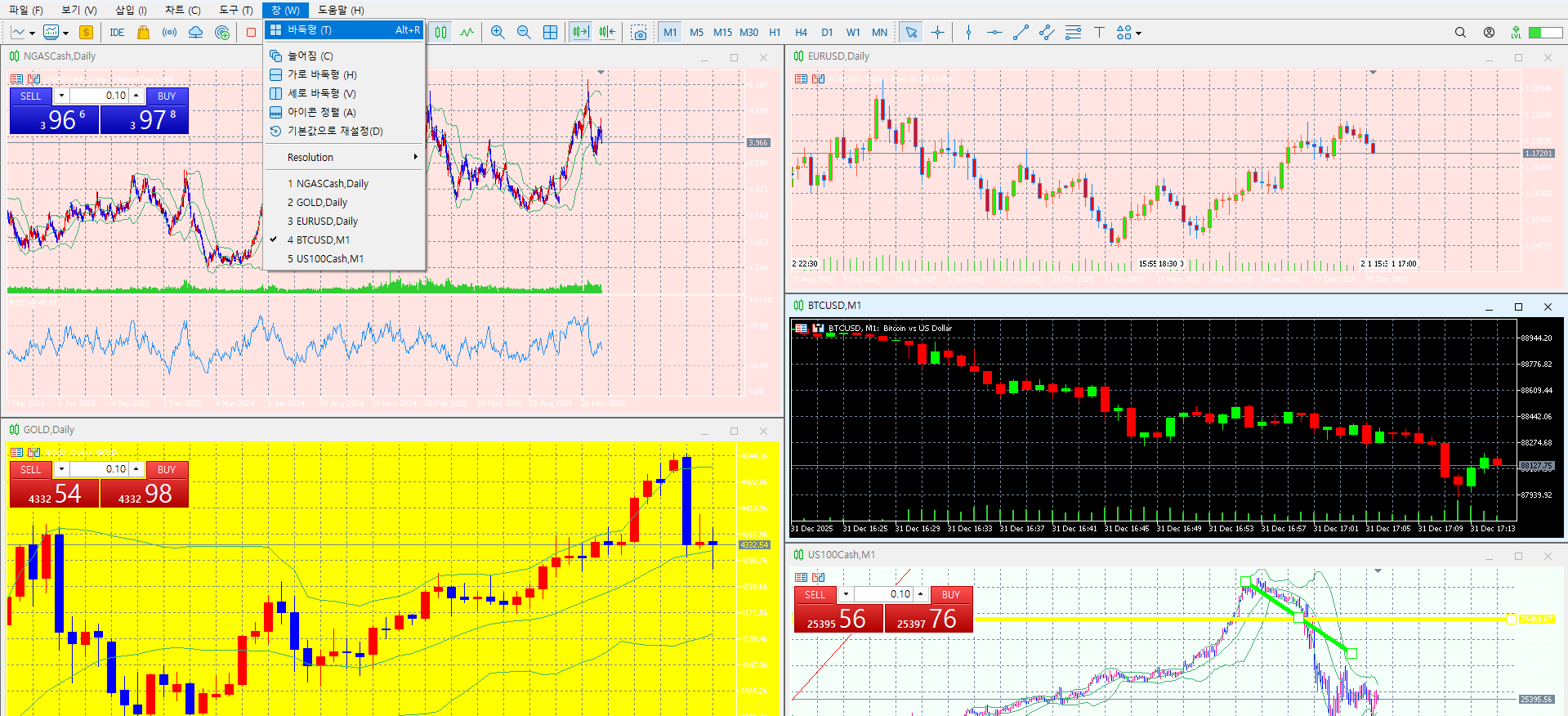
If you use Window -> Baduk type,
Multiple windows are arranged well.
If you use a sub monitor
Make 4 out of 5 charts in a checker pattern.
View one main chart on the largest screen on this monitor.
You can use it.
View multiple charts in real time or
You can set up one chart for 1 minute, 5 minute, 60 minute, etc.
For those who trade at the closing price, a more convenient method is available.
Do your research
If this was useful, please leave a rating
I start every morning with the main news and ask “why?” before “how much?”. I only list brokers where I opened an account and traded myself first. If a condition changed or something is wrong, tell me and I’ll fix it.
★ GoldStudy partner link Sign up through this link to get GoldStudy support


